
On this page
Summarize with AI




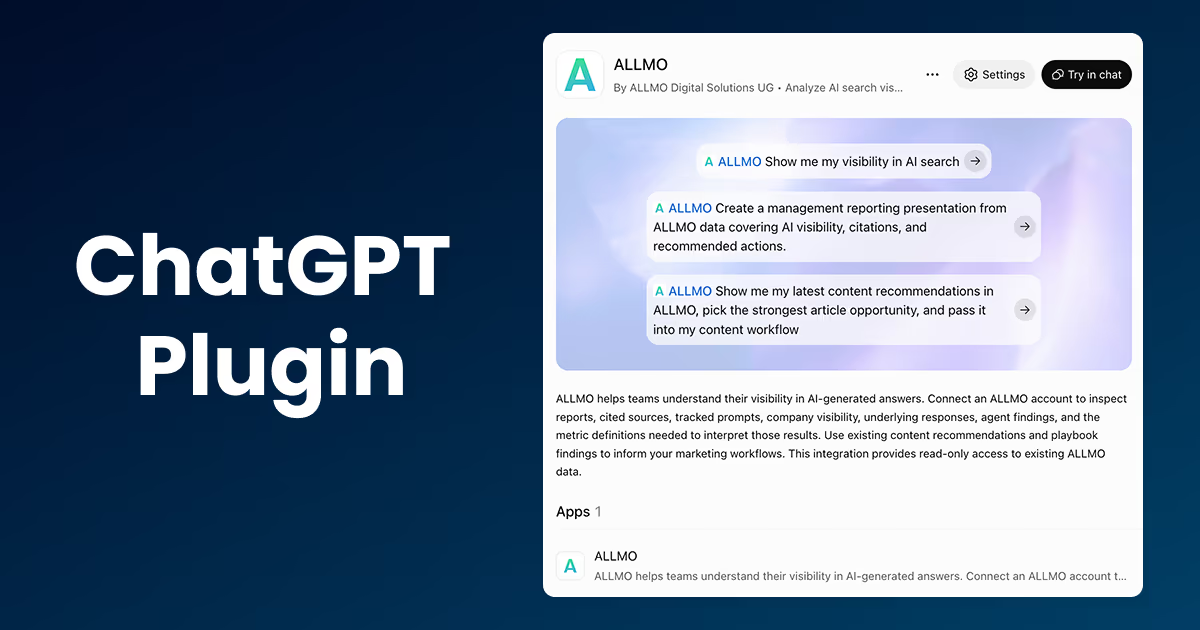
The ALLMO plugin is now available in ChatGPT.
Connect the plugin, and you can access your AI search visibility data directly in your ChatGPT Conversations.
This makes it easier to use ALLMO alongside the work you already do in ChatGPT, whether you are reviewing performance, preparing a client update or planning content to improve your visibility.
Work with your ALLMO data in ChatGPT
The ALLMO plugin gives you access to your reports, visibility metrics, cited sources, tracked prompts, AI responses and findings. You can ask questions in plain language and follow up on the answers without switching to the ALLMO dashboard.
For example, you could ask:
- “How did our Share of Voice in ChatGPT change this month?”
- “Which prompts mention our competitors but not our brand?”
- “Which websites are cited most often in the ChatGPT responses in our report?”
- “What did ChatGPT say about our company last week?”
From there, you can ask ChatGPT to draft a client update from the results or turn an ALLMO recommendation into a content brief. ALLMO supplies the report data; ChatGPT helps you analyze it and put it to use.
Connect through the ChatGPT Plugin Directory
Open the ALLMO listing in the ChatGPT Plugin Directory and add the plugin. You will be prompted to sign in to ALLMO and approve access to your account.
Once connected, mention the company or report you want to analyze and ask your question.
The connection is read-only. ChatGPT can retrieve data from all ALLMO reports you have access to, but it cannot change your settings, edit prompts or activate playbooks. Those changes remain in the ALLMO app.
Access is included in all paid ALLMO plans.
Find the ALLMO plugin in ChatGPT.
Summarize with AI
More articles

Track your AI search visibility
See where your brand appears in ChatGPT, Perplexity, and other AI search engines.